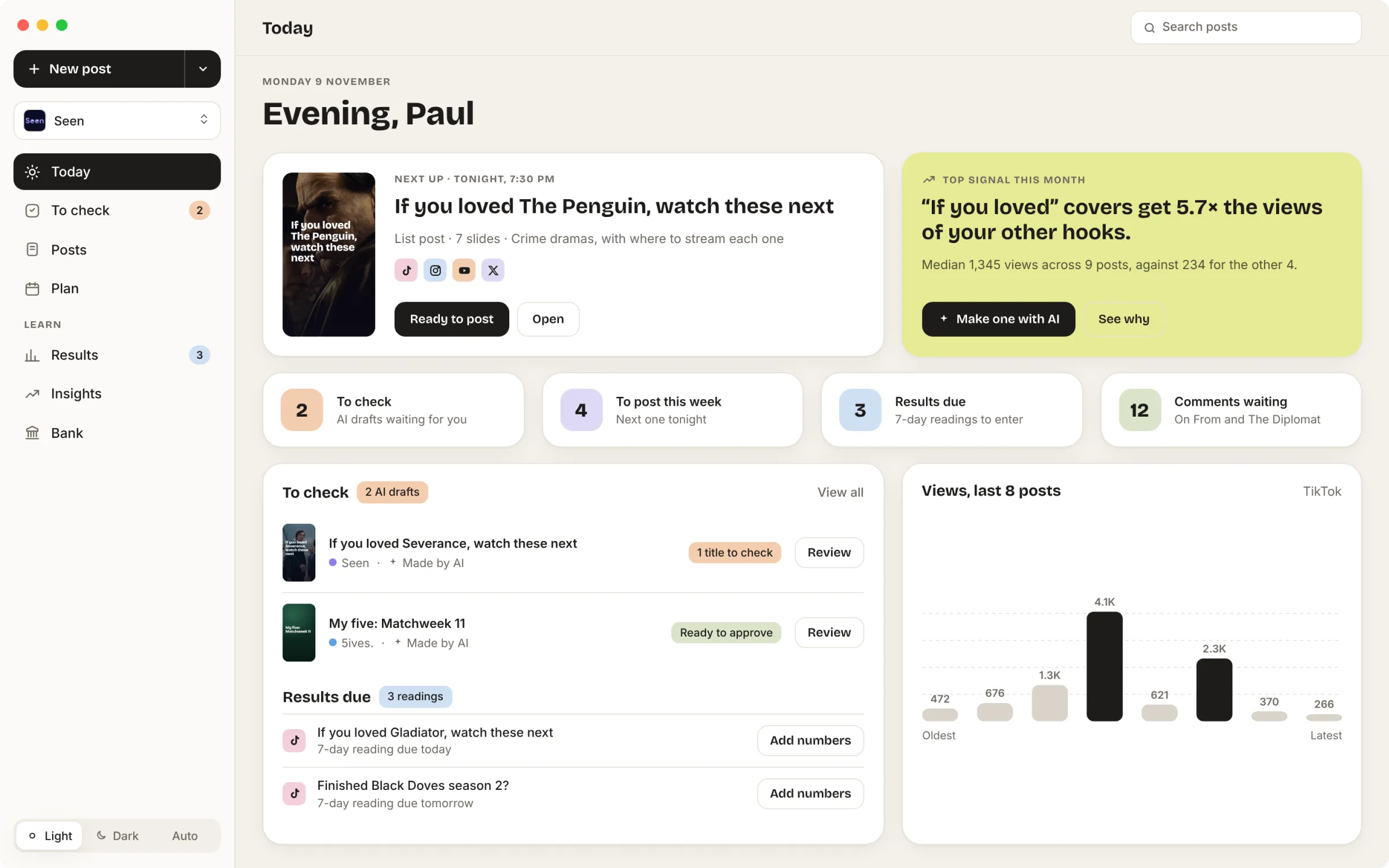
From an idea to posts ready to export.
Screens show sample data.
-
Brand and context
Sunset stores the brand and context for each app. Every post starts there.
-
Idea to drafts
I type an idea. The AI turns it into posts with captions and music suggestions. Templates keep the posts consistent.
-
Review
I review every post before it is scheduled.
-
Schedule and export
I schedule posts on a timeline. Then I export them for TikTok, Instagram, X and YouTube Shorts.
-
Learn from results
Sunset shows which hooks get the most views, and turns that into ideas for the next post.
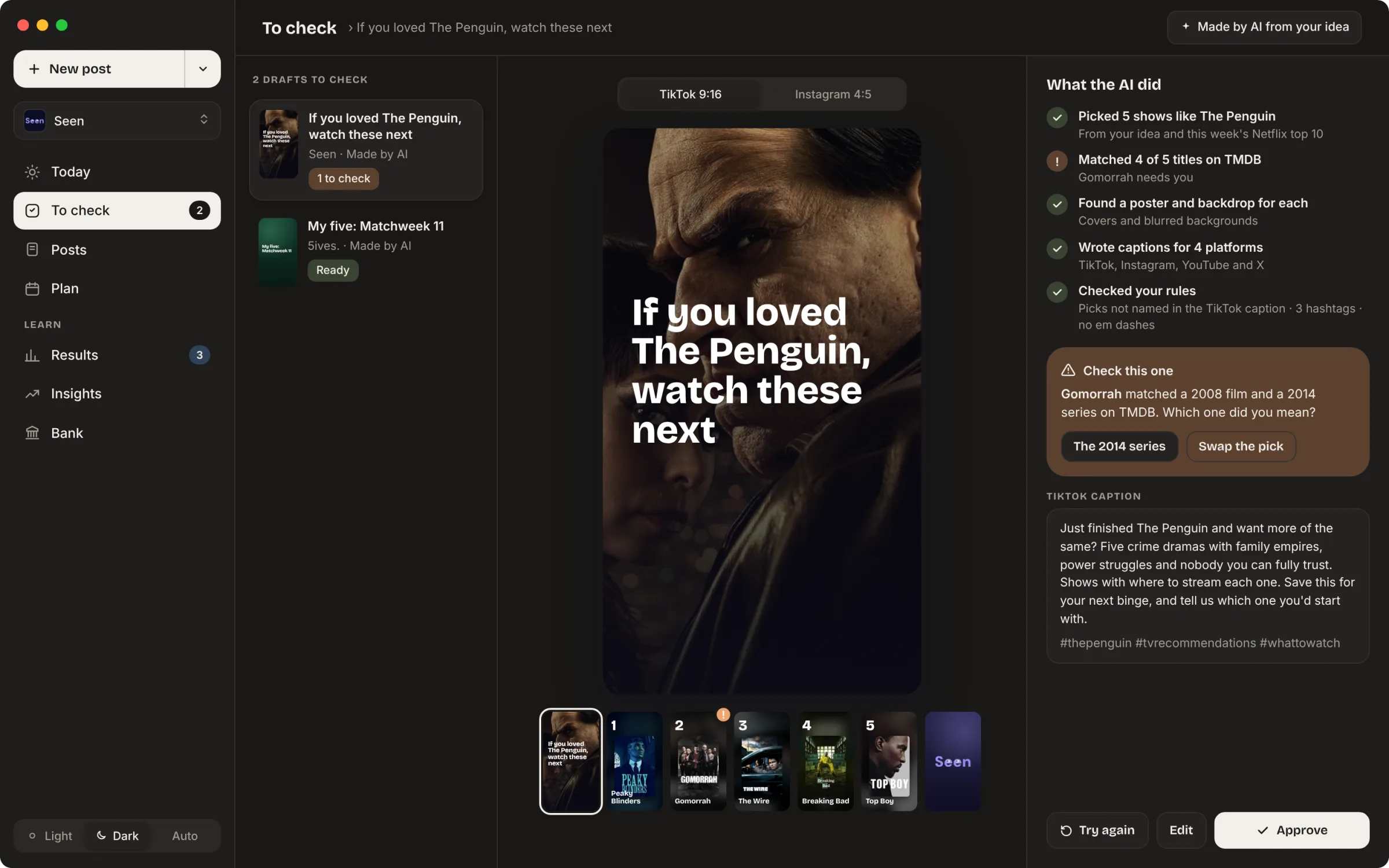
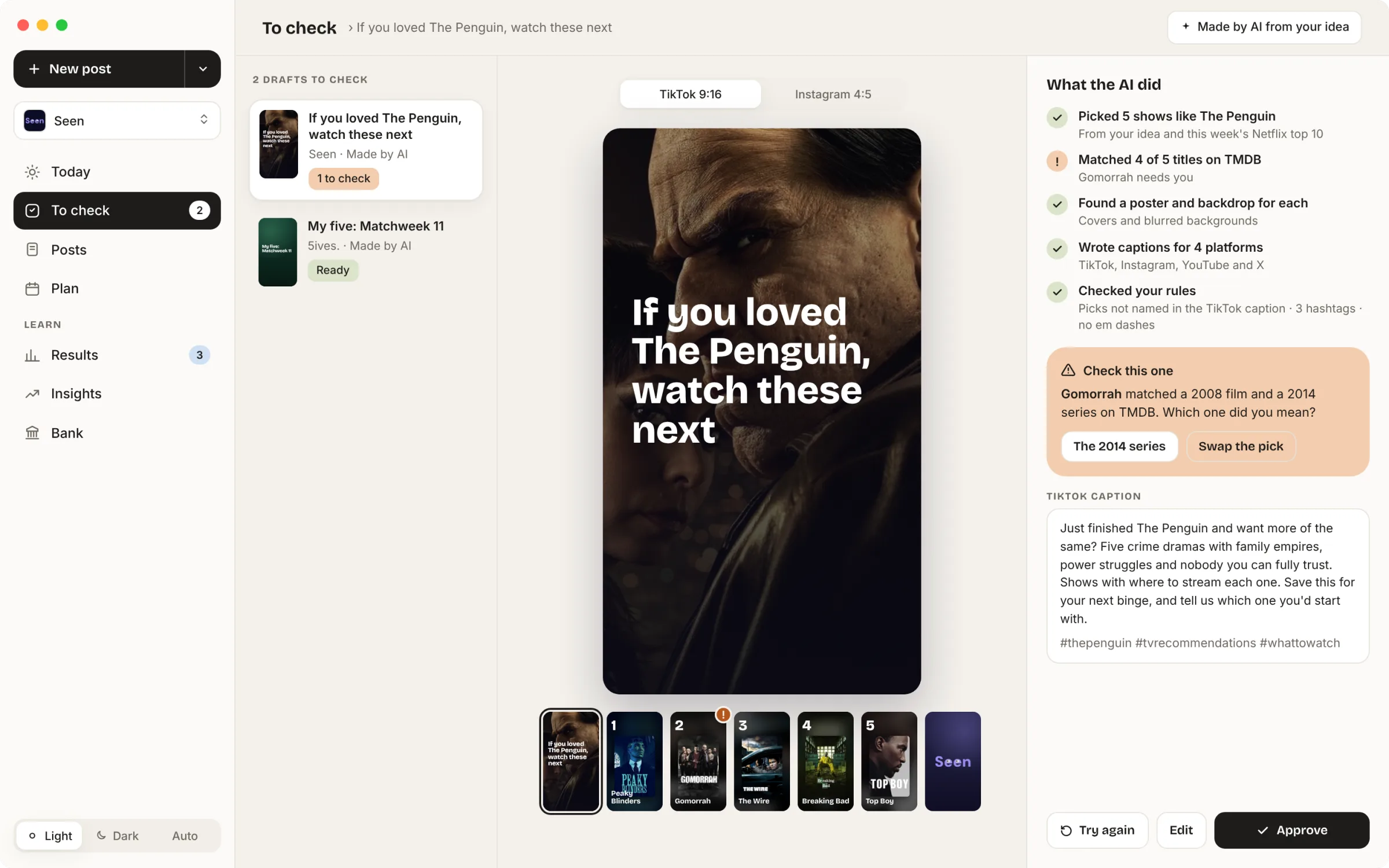
Checking what the AI made
The AI lists every step it took, with a tick or a warning. If it isn’t sure about something, it says so and asks. Here it matched Gomorrah to both a 2008 film and a 2014 series, and asks which one I meant. Nothing is posted until I approve it.
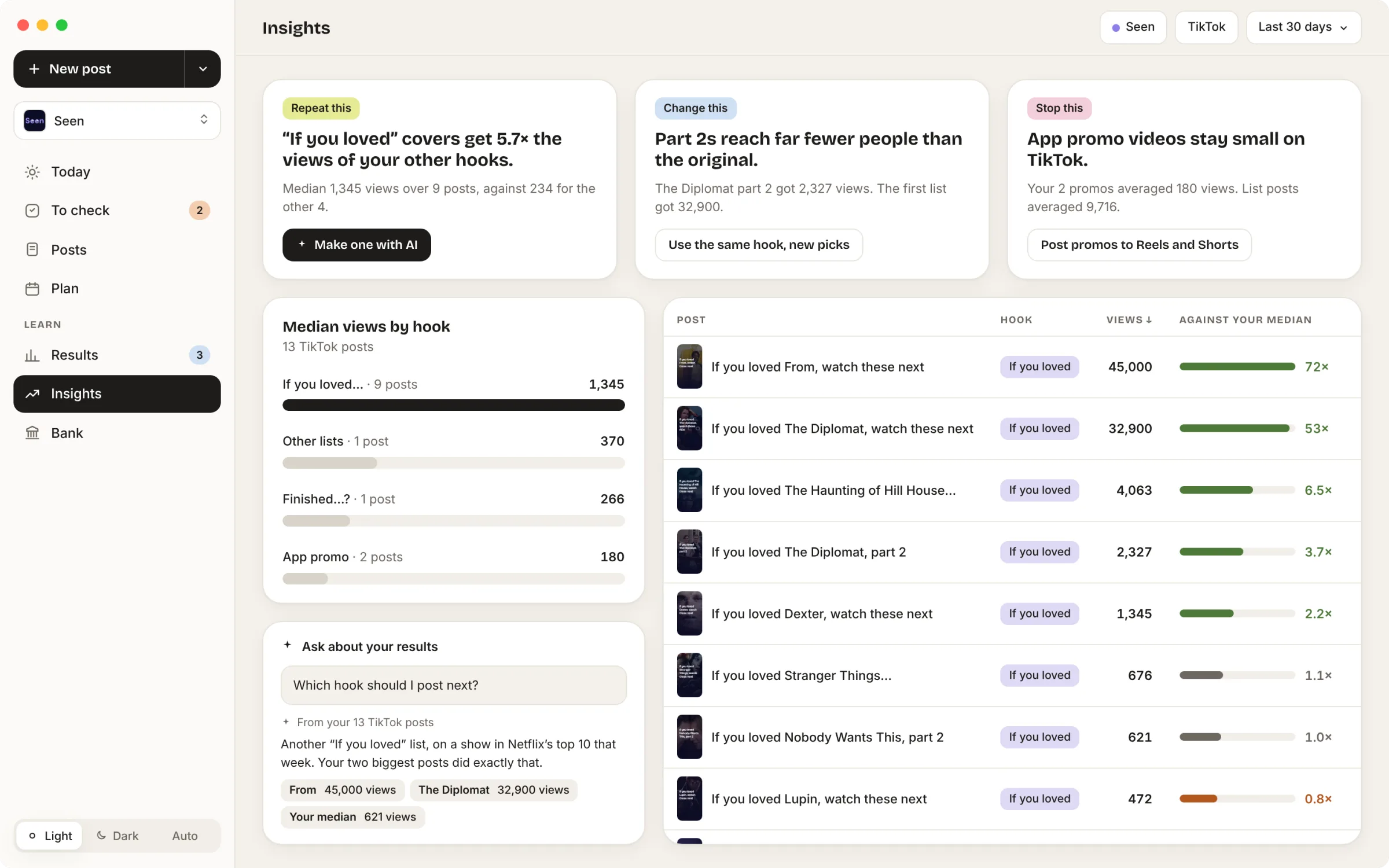
Seeing what works
Insights compares every post with my median views. Green bars are well above the median, grey are close to it, and orange are below. So colour shows good or bad rather than up or down. The cards at the top turn the data into one thing to repeat, one to change and one to stop.
Today
The home screen shows what needs me today: drafts to check, posts due, and results to enter.