A Mac app that tags your photos using local AI.
Loupe uses a local vision model to analyse photos and write searchable metadata directly into the image files. No cloud. No subscription. Your photos never leave your machine.
I had thousands of street photos across folders and drives with no consistent tagging. Finding a specific shot meant scrolling through everything. The tools that exist are either cloud-based subscriptions or complex and expensive. So I built my own.
Why it works the way it does.
The vision model needs a desktop machine with enough RAM and Apple Silicon for reasonable speed. A web app would mean a server, which means cloud and costs. iOS doesn't have the compute. A native Mac app was the only option that fit fully local processing.
Two reasons: privacy and cost. Photographers are sensitive about their photos leaving their machine, especially client work. Running locally means images go nowhere. It also means no per-image API costs and no subscription.
If Loupe writes to a proprietary database, the user is locked in. IPTC/XMP is the industry standard. Tags written by Loupe work in Lightroom, Capture One, Finder, Photo Mechanic. And it never overwrites existing metadata — only appends.
Photographers use terms the AI would never generate. Words like tableaux, juxtaposition, silhouette. Loupe has a vocabulary system where users define their own terms. A trigger word system suggests vocabulary when the AI's description contains associated words. The system also learns from user corrections.
The vision model kept merging descriptions and keywords, producing multi-word phrases, or hallucinating instruction text into the output. Multiple iterations to fix. The key insight: minicpm-v responds better to shown examples than to rules.
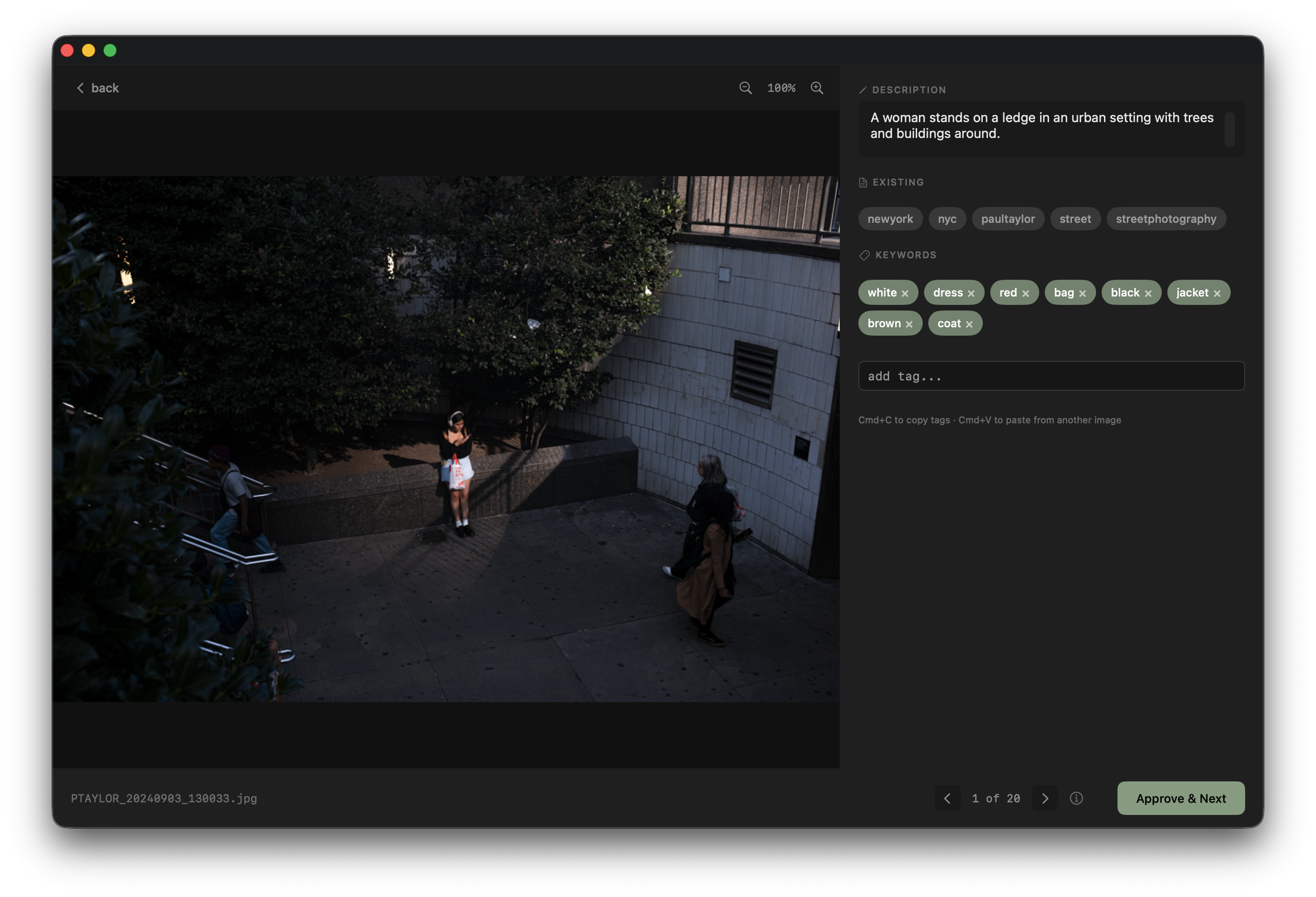
Confidence is computed from 5 signals. But the UI shows nothing for medium or high confidence — only flags low confidence with a small amber dot. The absence of an indicator means it looks good.
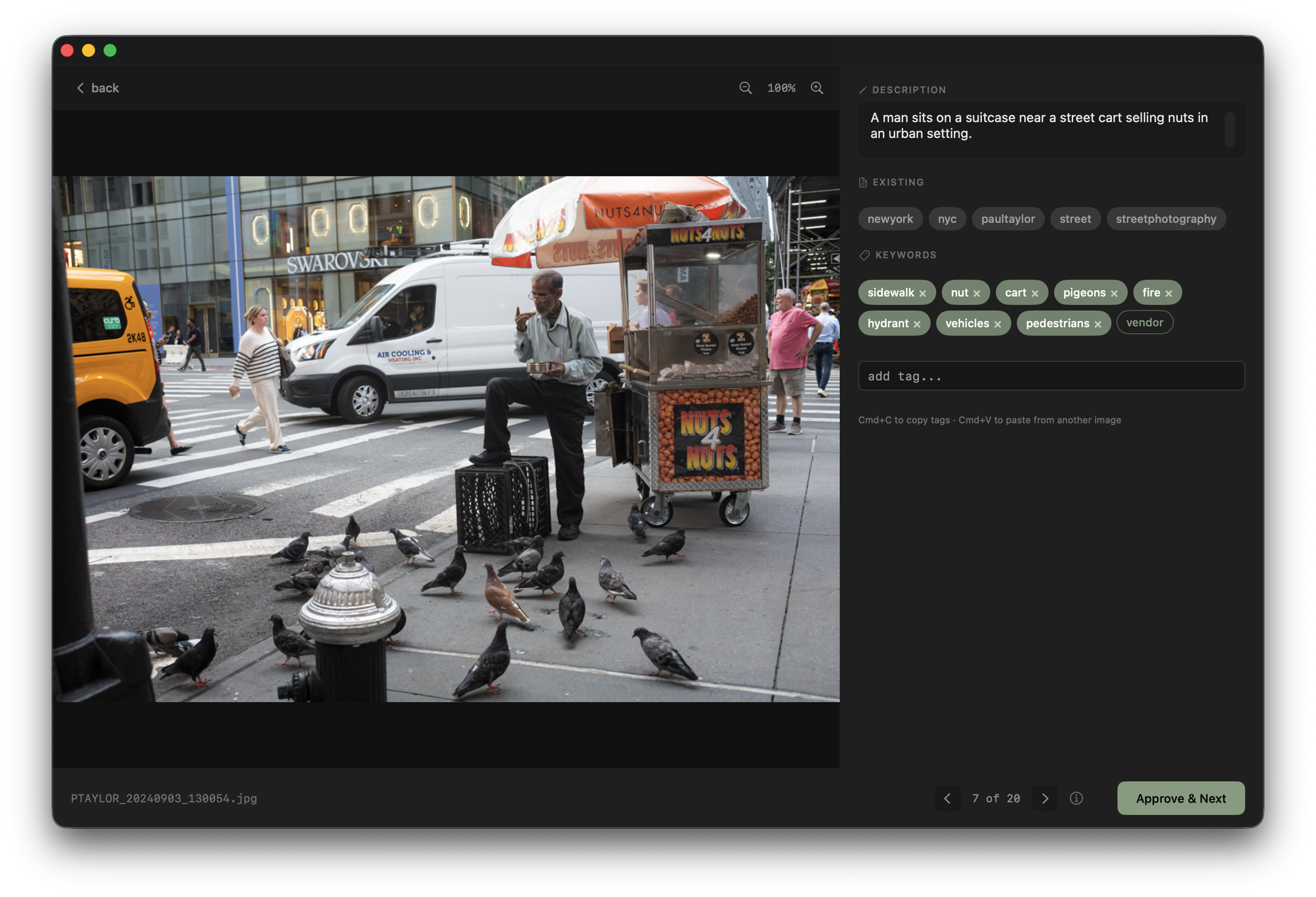
Drop a folder. Review the tags. Done.
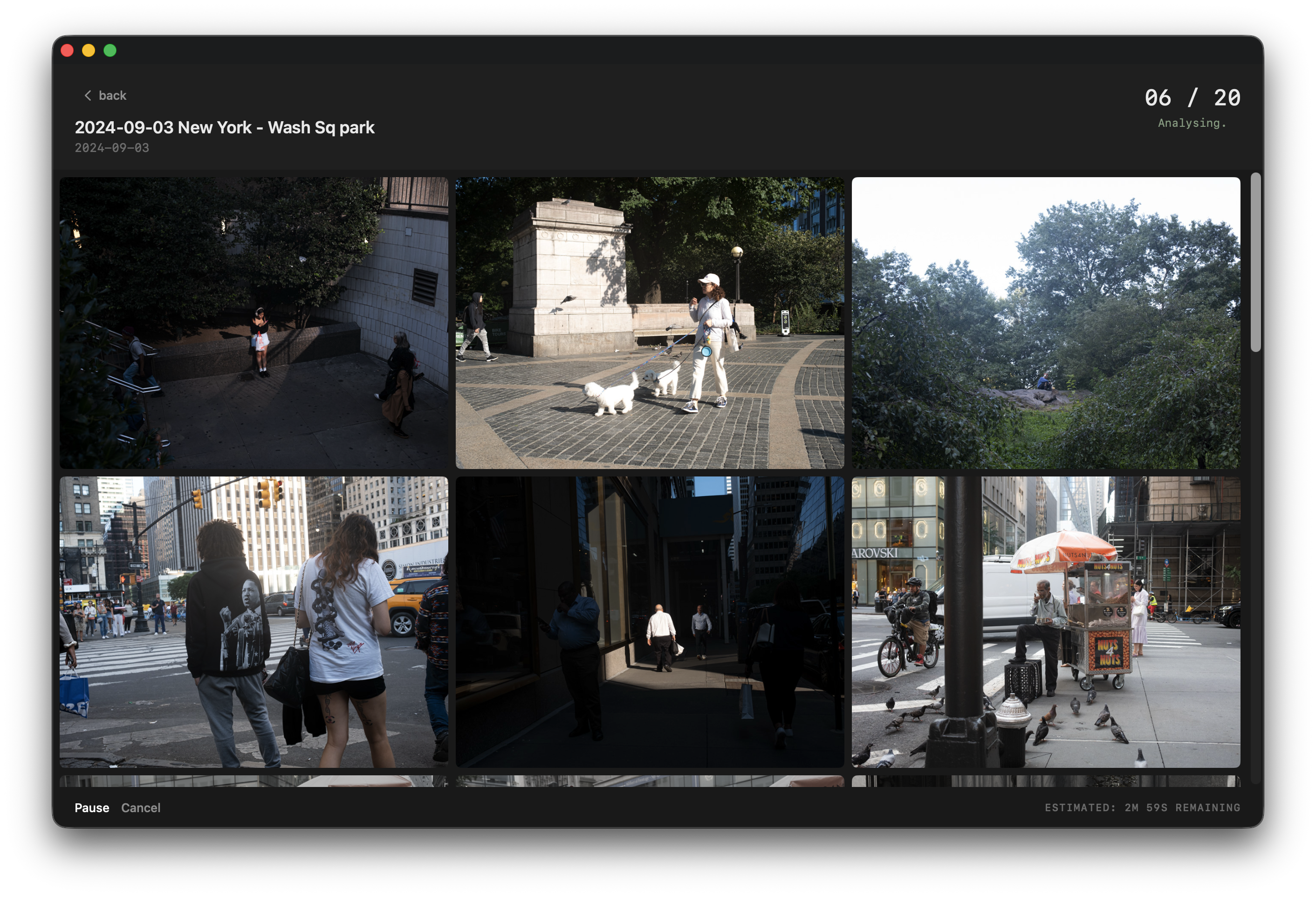
User drops a folder of photos onto the app. Images are sent to the local vision model one at a time. The model returns a short description and 5-8 keywords per image. Post-processing cleans the keywords — splits multi-word tags, strips stopwords, deduplicates, caps at 8.
Processed images appear in a review grid. Low confidence images are flagged and sorted first. The user opens each image into a tag editor — large photo on the left, description and keyword pills on the right. Approve, edit, or reject tags. On approve, metadata is written directly into the file via exiftool.
Solid sage pill means active tag. Dashed outline means suggestion. Vocabulary suggestions appear first, then AI suggestions. The ordering does the work without needing visual distinction.
In beta. Almost there.
Loupe is live on TestFlight with early beta testers. The website is at tagwithloupe.com. App Store submission is in progress.
Still needed before launch: RAW file support, session persistence, error handling for edge cases, and a final UI polish pass.
Custom vocabulary was called out as the standout feature. Bulk review confirmed as the right workflow. One-time purchase model noted as refreshing compared to subscription apps everywhere else. Speed benchmarks requested — the answer is about 14 seconds per image on M1.